

OpenInk Studio · Updated
Tattoo Artist Website & Link in Bio With Booking
Your OpenInk page is the link that goes in your Instagram bio. Portfolio, flash, prices, reviews and FAQ live on it, and the booking button opens your own inquiry form. You fill in sections rather than build a website, and requests arrive in your inbox with their references attached.
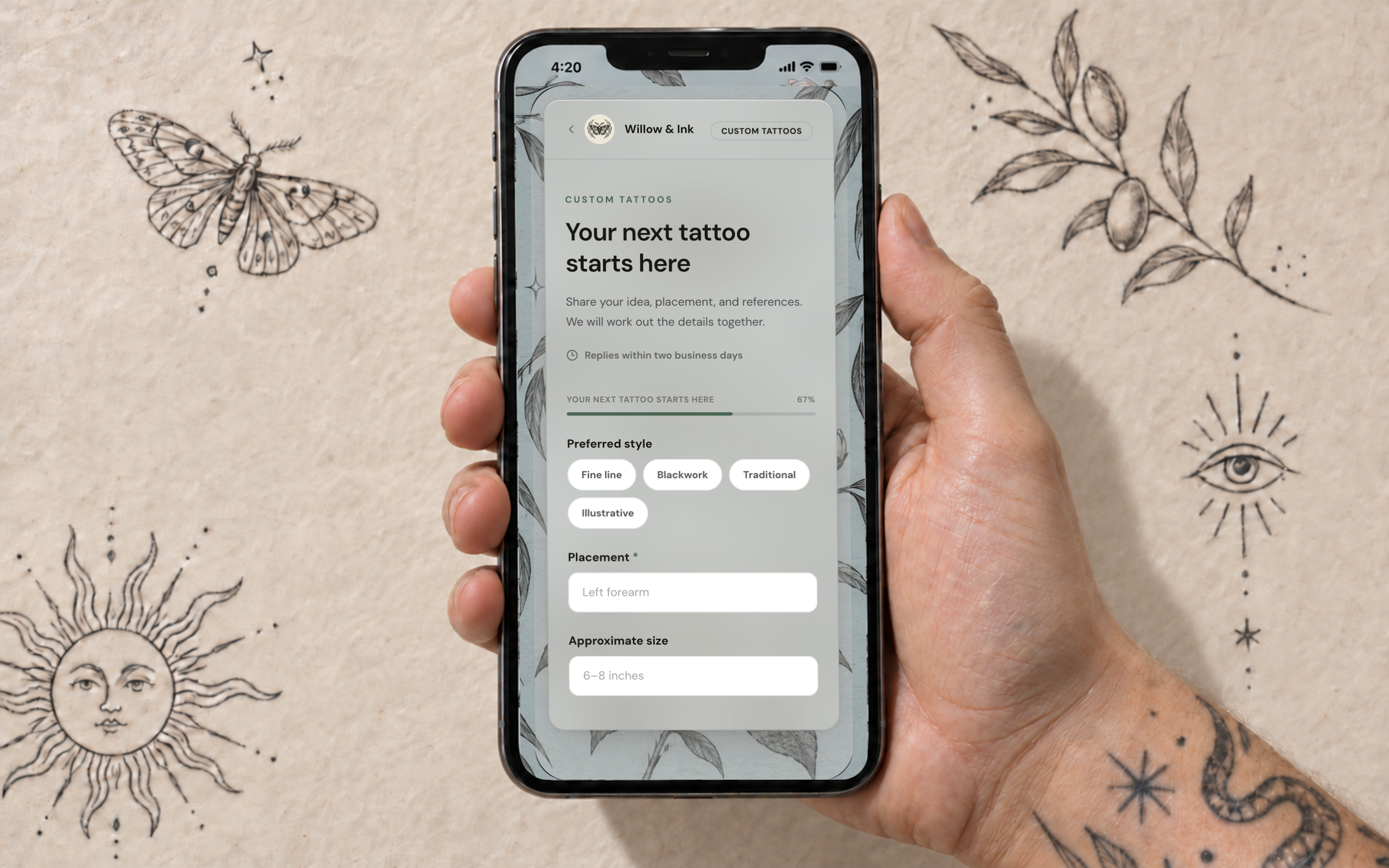
- link for your bio, with the form one tap away
- 1
- section types, from portfolio to opening hours
- 13
- reference images a client can attach
- 6
- languages for buttons and form prompts
- 10
What goes on the page
Choose the sections you want, drag them into order and hide the rest. The home page can stay short while the menu leads to separate pages for work, flash, prices or FAQ.
- A cover with your name, headline, styles and city, plus a scrolling announcement strip
- Portfolio pieces with a style and caption, and flash with sizes and notes
- Services with price, duration and a short description
- Your artists with photo, style and Instagram, if you run a studio
- Reviews you pick from the ones clients send after their session
- FAQ, about, address and opening hours, and links to anywhere else you post
The booking button opens your form
Behind the button is your inquiry form, with your own questions, options and required fields. Clients attach up to six reference images. Every request lands in your workspace inbox, you get an email, and you reply in the same thread. The form has its own link too, for the times you want to send it on its own.
Colours, fonts and background
Pick a theme and an accent colour, sharp, soft or round corners and a serif or sans heading font. Add your logo, or a single letter if you don't have one yet. The page follows each visitor's light or dark setting, and you can upload a separate full-page background for each mode.
Visitors read it in their language
Buttons, menus and form prompts switch to the visitor's language, in ten of them. Your own words stay exactly as you wrote them. The page is published in the language you set up your account in, and that version is the one search engines get.
Ready for search engines
Your home page goes into the sitemap in its own language, with your name, address, opening hours and social profiles marked up as structured data: a tattoo parlour for studios and for artists with an address, a person for artists without one. Only what's visible on the page goes into that markup. Inner pages stay out of the index so they don't compete with the home page.
Free, or without our branding
On the Free plan a small OpenInk mark sits in the footer. Artist Pro and Studio Pro remove it. A studio gets a page for the shop, and each artist on the team can keep a personal page as well.
What it doesn't do
Your address is on openink-studio.com; your own domain can't be connected. There's no shop for prints or gift cards and no blog. If you already have a website, keep it and point its booking button at your OpenInk form.
Related resources
Try this workflow in OpenInk Studio
Sign up and start today. New accounts get 14 days of full access, then you can stay on Free or choose a paid plan.
Start free